
Monitoring Email Open Rates Sent via Sellizer

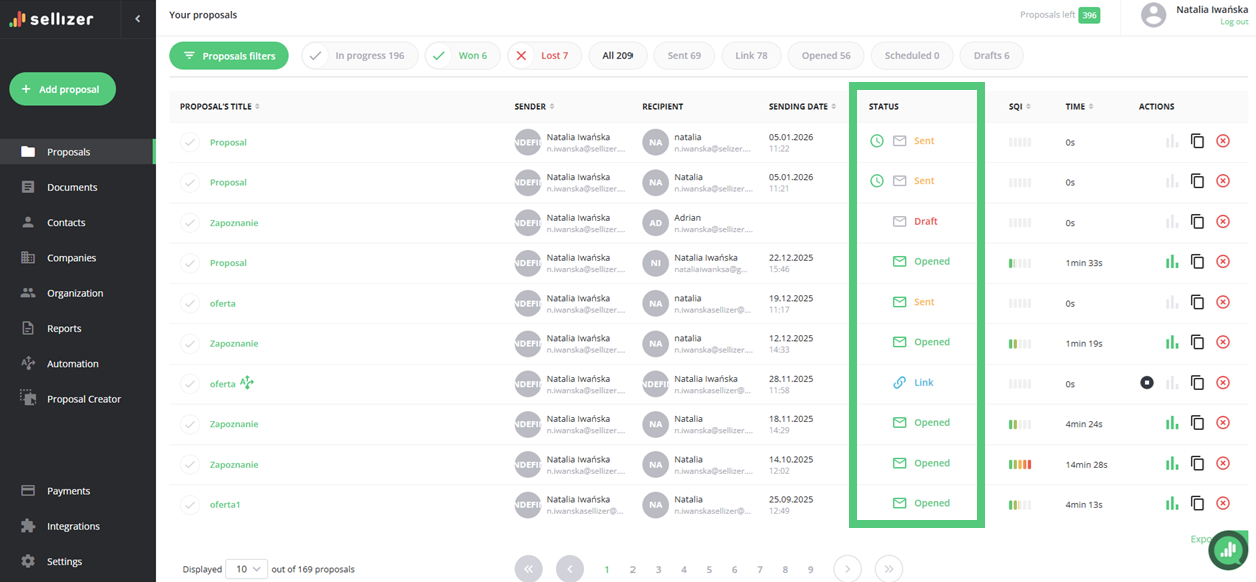
We have expanded proposal tracking with a module that provides information on the open rates of emails sent via Sellizer. You can check the email open tracking information for each sent proposal in the Proposals tab, under the Status column,
REMEMBER: This feature works only for emails sent via Sellizer.
A gray envelope next to the proposal’s status indicates that the email has not been opened yet.
A green envelope next to the proposal’s status indicates that the email has been opened and read by the recipient.
Remember that opening an email and opening a proposal are two separate pieces of information. It may happen that the envelope turns green, but the proposal status still shows as Sent. This indicates that the recipient has read the email message but has not opened the attached proposal.
For more information, please contact us via chat, email: support@sellizer.com, or the form.