
How to create a new message template?

Creating message templates in Sellizer is easy and quick!
Go to the Automation tab. You will be taken to the Templates section.
Click the Add Template button. You will be taken to the template creation area.
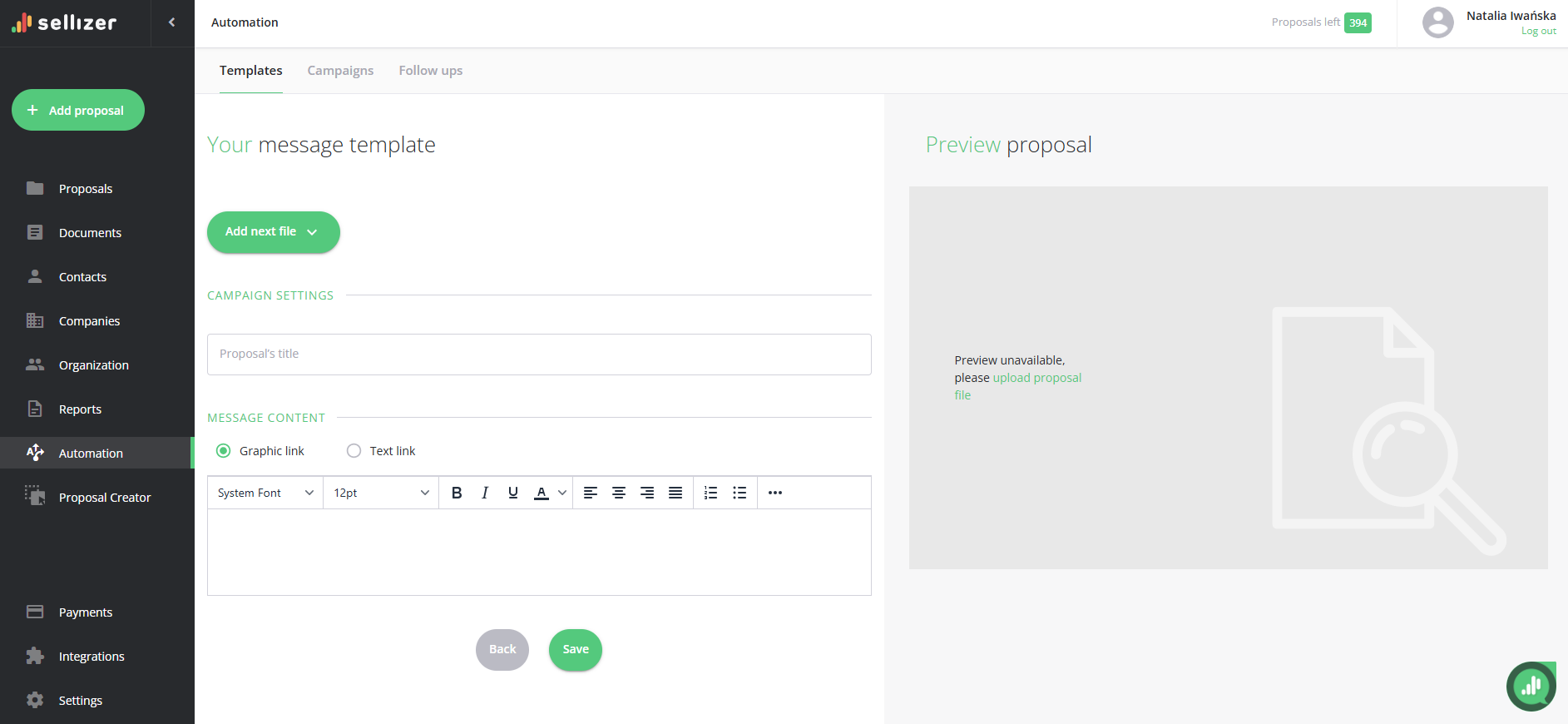
What information do you need to enter to create a template?
The proposal's title – the message subject that your recipient will see in their inbox.
Choose whether the proposal link should be in graphic or text form.
Enter the message content you want to include in the template.
Select the file or files (available formats are PDF, DOC, DOCX, XLS, XLSX, PPT, PPTX, PNG, JPG). *Adding attachments is optional.
Save the template, and you’re done! You can use it without any limits.
For more information, please contact us via chat, email: support@sellizer.com, or the form.