
How do I unlink my credit card and cancel my subscription?

Written by Natalia Iwańska
Want to stop using your credit card as a payment method? See how to unlink your card from your account and cancel payments made with it.
To remove the card:
Log in to the account where the subscriptions were started.
Go to the "Payments" tab.
Select the "Extend all" option.
Confirm your billing information.
On the payment summary page, scroll down to Payment Methods and cancel your subscription.
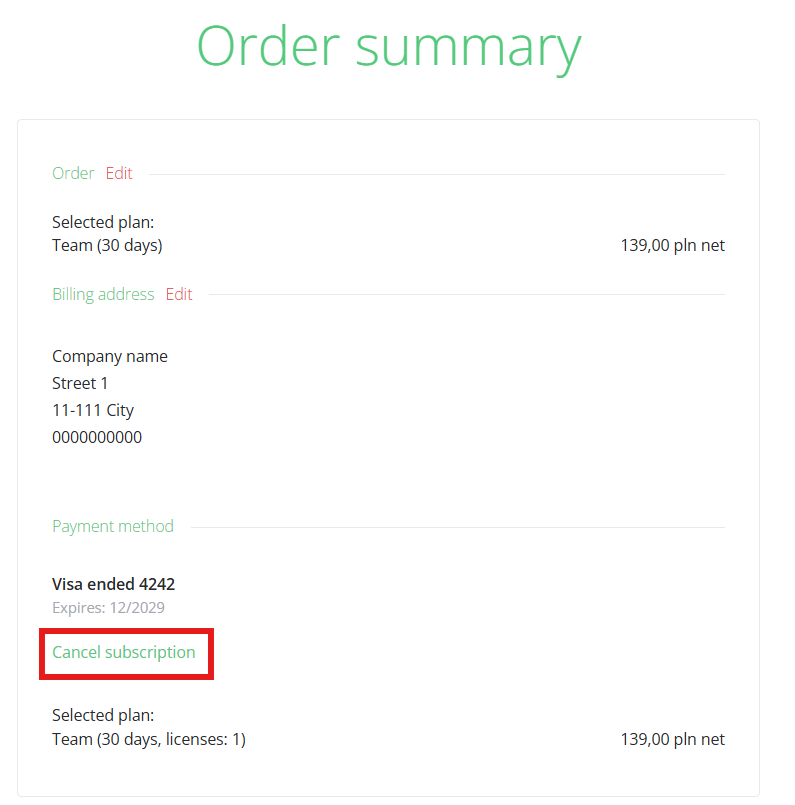
Please remember not to confirm your order. In the payment summary, simply go to the Payment Methods section and cancel your subscription. Once canceled, no further payments will be processed.
For more information, please contact us via chat, email: support@sellizer.com, or the form.