
Adding your own domain

Learn how to redirect proposal links to your own domain!
A system subdomain is a link to your proposal automatically generated by the system. It has the following format: companyname.sellizer.io.
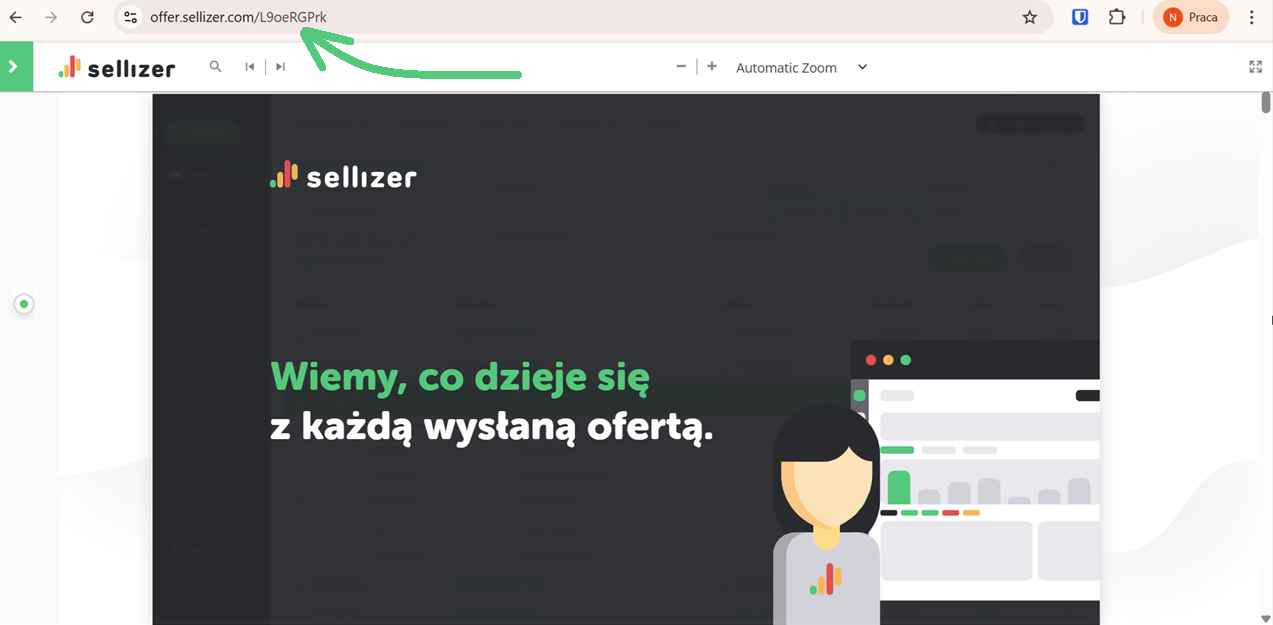
Your own subdomain in the Sellizer's domain
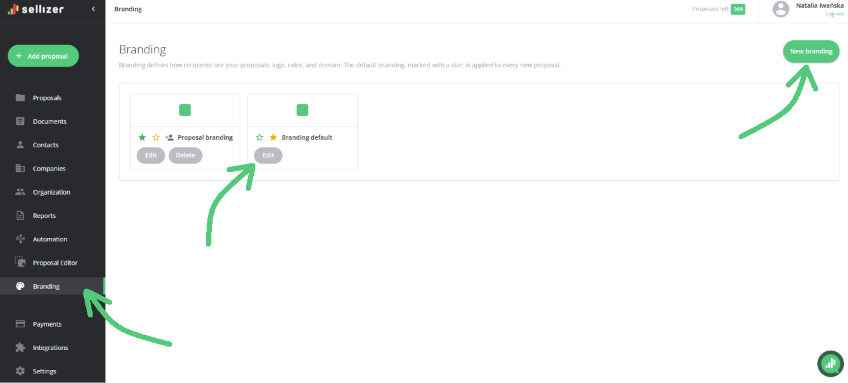
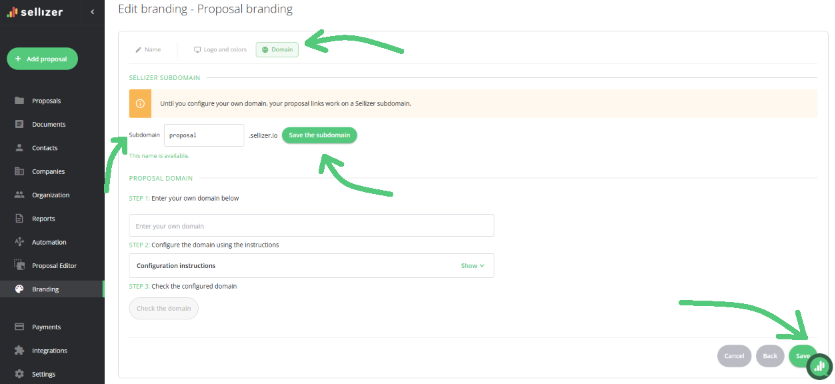
In the "Branding" panel → Edit branding or New branding, at the "Domain" step, you can set up your own subdomain free of charge.
Enter your chosen subdomain in the designated field, then confirm the changes by clicking the Save button below.
After setting it up, the link to your proposal will look like this: yourname.sellizer.com.
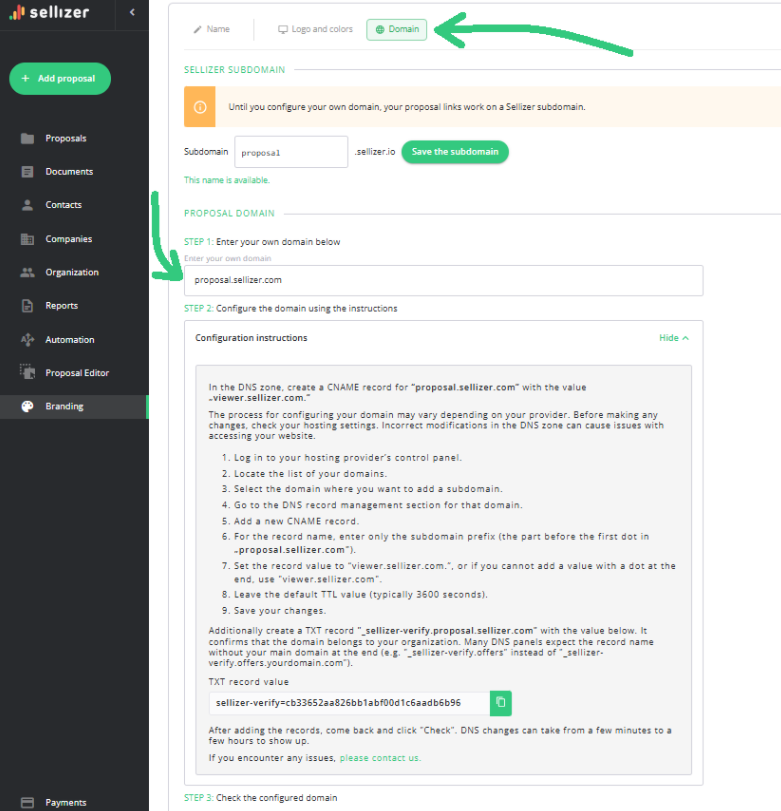
Subdomain within your own domain
Subdomain setup service for your own domain:
is completely free for Team license accounts
Go to the "Branding" panel → Edit branding or New branding, and open the "Domain" step – there you'll find the setup instructions and the option to add it.
is USD 55 net for the Solo licence
If you have a Solo licence, please contact us and we will send you further instructions.
For more information, please contact us via chat, email: support@sellizer.com, or the form.